

- only run benchmarks relevant to the code changes in a pull request
- run a subset of long-running benchmarks on a schedule
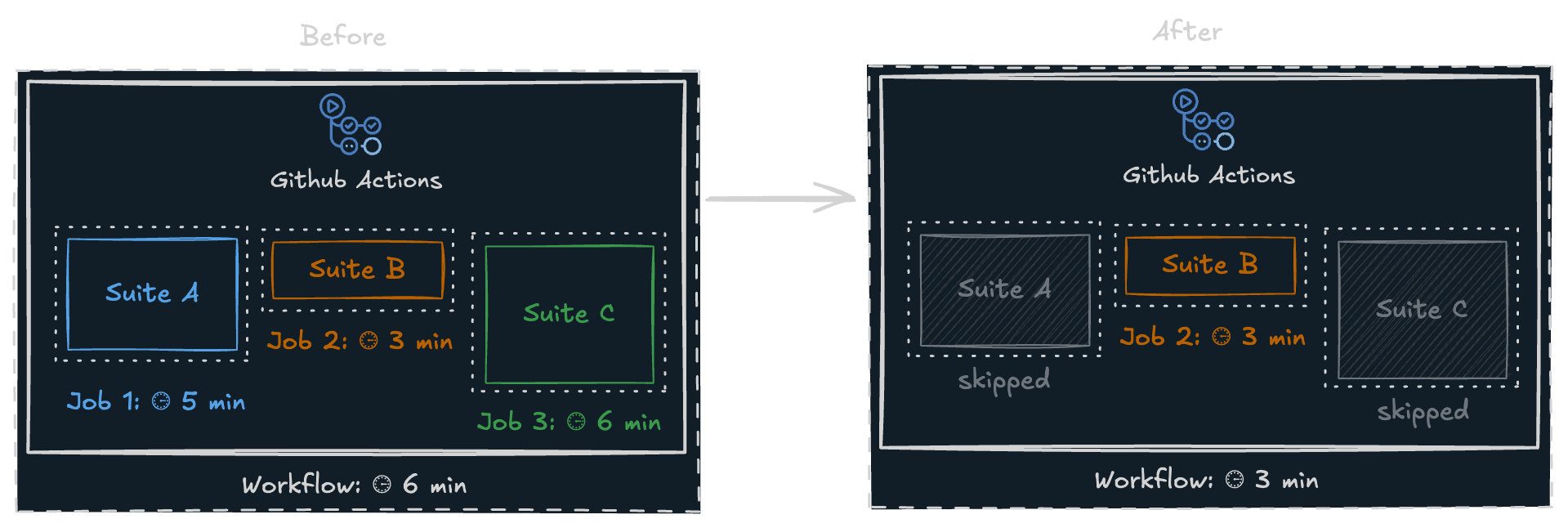
Only Suite B was run since it was the only one affected by the code changes
How to make partial runs?
There are several ways to implement partial runs in your CI workflow:- in addition to using sharded benchmarks:
- use your benchmarking framework’s “affected” or “changed” feature if it exists
- detect which package/library of your monorepo was affected by the code changes and run only its benchmarks
- run a long-running benchmark suite on a schedule (e.g. nightly) in addition to running a smaller suite on each pull request
Skipped Benchmarks
When CodSpeed detects missing benchmarks in a run, it automatically:- Identifies missing benchmarks by comparing the current run with its baseline run
- Retrieves baseline results from the baseline run
- Displays them as “skipped” with in reports