

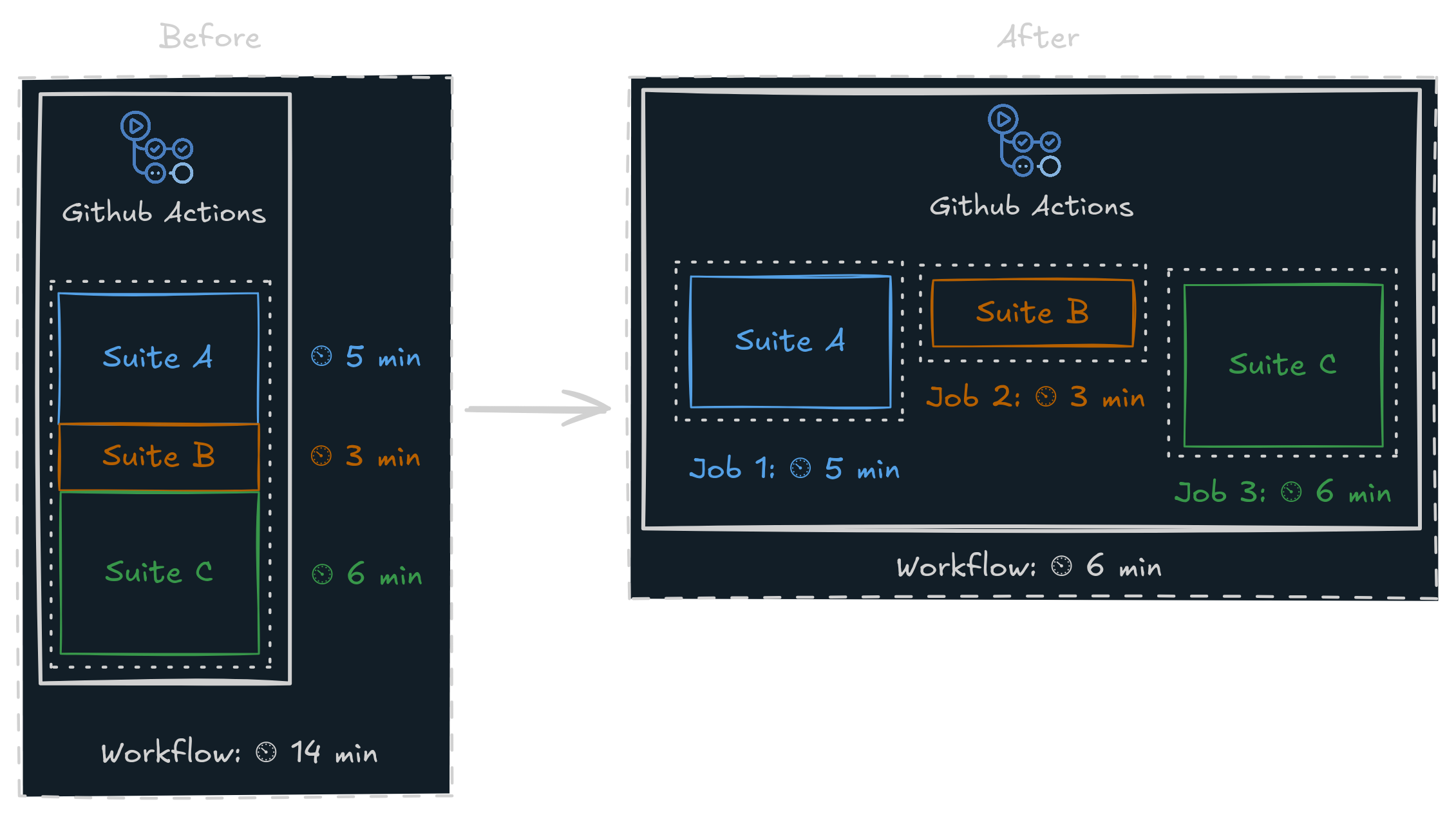
We recommend limiting each shard to fewer than 1,000 benchmarks.
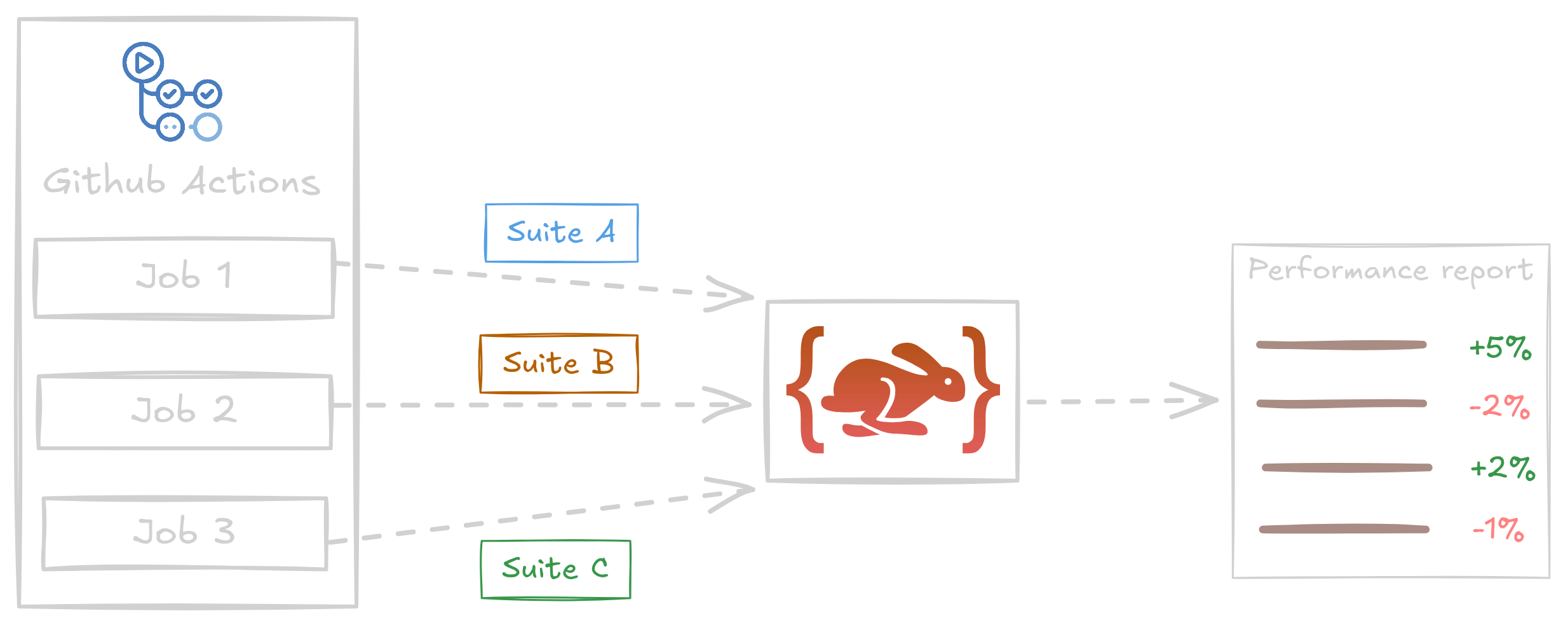
CodSpeed will then aggregate the corresponding results into a single report.
How to split the execution of benchmark suites?
Sharding allows you to run your benchmarks in several commands, with each command running a subset of your benchmarks. There are two main ways of sharding your benchmarks:- splitting them in several files, and running each file or folder independently
- using a sharding tool provided by your benchmarking framework
Configure your CI workflow to use sharded benchmarks
CodSpeed only supports emitting results from your benchmarks if you split them
within a single CI workflow.If you run benchmarks in multiple CI workflows, CodSpeed will not be able to
aggregate the results correctly, and you may see incomplete or missing data in
your CodSpeed reports.
Multiple languages benchmarks
With benchmarks written in several languages, it can be difficult to get a unified performance overview of your project. With CodSpeed, you can run benchmarks written in multiple languages. When run in the same CI workflow, CodSpeed will aggregate the results of these benchmarks into a single report. For example, usingpytest and vitest:
.github/workflows/codspeed.yml